Giving an AI Agent Its Own Linux User (Without Breaking DDEV)

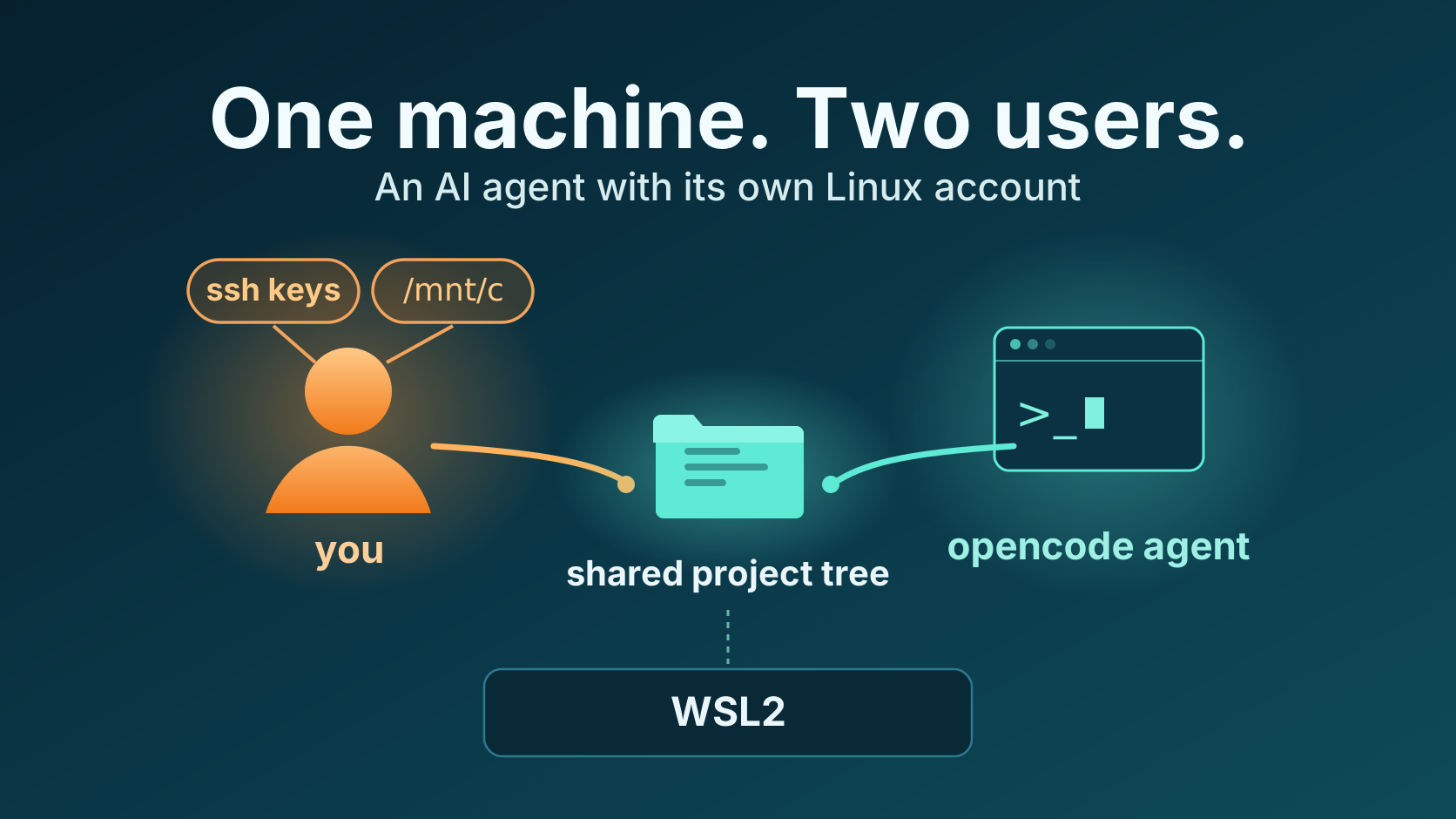
TL;DR: My coding agent runs on my WSL2 machine as its own Linux user, with its own home directory and its own rootless Docker daemon. DDEV runs as that same user, in my terminal and in the agent’s. My workflow did not change. This post explains why I did it, what it took, and what broke along the way.
The moment was small. My agent had a terminal open in a client project, about to run composer install, and I wanted to know what it could reach if a task ever went sideways. The answer was: everything. The agent ran as my user, so it could read my SSH keys, push with my Git and gh credentials, reach everything on the Windows side through /mnt/c, and talk to a Docker daemon running as root. Its permission system asked before every Bash command, and I approved commands in five-second intervals, all day. At some point I stopped reading the prompts and clicked allow blindly. That was the moment I knew the agent and I needed a different kind of protection.
So I turned the question around. Instead of asking what I could withhold from the agent, I asked what the smallest identity is that still lets it do the job.
What an agent inherits when it runs as you
On a typical WSL2 setup, an agent running as your user inherits the blast radius of your account:
- Your home directory: SSH keys,
.gitconfig, credentials files, everything in~/.ddev, including database snapshots and any keys imported withddev auth ssh. - The Docker socket, which on a default rootful installation is root-equivalent.
- Windows interop:
/mnt/cand the ability to run.exefiles. On WSL2, the Linux side reaches straight into Windows; a shell command is all it takes.
Approval prompts don’t solve this, because I stopped reading them. They had become background noise long before the agent got productive.
The old answer from Unix
Services on a Linux machine have not run as the admin’s personal user for decades. www-data, postgres, deploy: every daemon gets a dedicated account with exactly the access it needs, and nobody considers that exotic. It is the default way to run untrusted or semi-trusted software on a shared machine.
An agent that edits my code, runs my tests, and starts my containers is a new coworker on the machine, and coworkers get their own account.
The obvious alternative, especially for DDEV users, is to run the agent inside the web container. I ruled that out, for a DDEV-specific reason. DDEV projects can define custom host commands in .ddev/commands/host/, and DDEV executes those directly on the host, as the invoking user, with no container around them. Through the shared project tree, that directory stays writable for the agent, so an agent inside the web container could still plant a command there. The boundary has to hold on the host itself.
So that is what I did: the agent, opencode, now runs as a dedicated opencode user on my WSL2 box, and I kept the rest of the machine mine.
The setup, in four decisions
The whole architecture fits on a napkin:
       WSL2 machine: one machine, two users

  me (uid 1000)                opencode (uid N)
  shell, IDE, git              opencode agent
  browser, Windows interop     DDEV, rootless dockerd
        │                             │
        └──── ddev runs as opencode ──┘
                       ▼
     one DDEV home: /home/opencode/.ddev
     one rootless Docker daemon
     one working tree per project, shared
     through a group (setgid + default ACLs)
One: the agent gets its own user. My home directory is mode 750 and not group-shared, so the agent cannot read my keys or dotfiles. The agent user gets no Windows interop at all: no /mnt/c, no .exe execution. When a task needs to open something in my browser, the agent cannot do it. Only I can run that command, and then it works.
Two: DDEV runs as exactly one user, the agent’s. This is the decision that makes or breaks the setup, and it is counterintuitive. DDEV is not multi-user aware; it expects one ~/.ddev, one Docker daemon, one project list. So the agent user owns DDEV. When I type ddev start in my own terminal, a shell function and a small sudoers helper re-exec it as opencode, with the right HOME and DOCKER_HOST. The sudoers file has four rules, all targeting opencode, none targeting root, none running anything as me. The result: ddev list in my terminal and in an agent session show the same projects, docker ps lists the same containers. There is one DDEV home, one daemon, no split-brain.
Three: the Docker backend is rootless and owned by the agent user. DDEV has supported Docker Rootless since v1.25.0 (blog post, docs). The daemon socket lives under /run/user/<uid>/, owned by opencode. The agent can start and stop containers for our projects, but it never touches a root-equivalent socket, because there isn’t one on the machine anymore.
Four: we share the working tree through a group, not through an identity. Both users need to read and write the same project files. A shared group with setgid directories, default ACLs, and umask 002 does that. The agent edits a file, I edit the same file, git pull works from both sides, and nothing needs to run as the other person.
What it is like day to day
The agent can do every project task I do: ddev start, ddev composer, make tests, vendor/bin/runTests.sh -s [cgl|phpstan|unit|functional], and commit. It cannot read my SSH keys, cannot reach my home directory, cannot touch Windows, and has no path to root. Browser-opening commands like ddev launch and ddev mailpit still work, but only from my terminal.
The part I did not expect: permissions inside the agent became more meaningful, not less. As long as the agent ran as my user, my answer to every risk was bash: {"*": "ask"}. Every command needed approval, because a single one of them could read my SSH keys in my WSL home directory or on the Windows side. On its own user it cannot get there, so I could flip the rules: allow Bash by default, and ask only for the few sensitive paths, like auth.json. The prompts that remain are the ones worth reading, because they are about the task, not about the keys to the building.
What still hurts
Two UIDs, one working tree: most tools are not designed for that. The concept hangs on group permissions: every file belongs to whoever created it, the agent or me, and the group-write bit decides whether the other one can still write to it. Whenever a tool sets an explicit file mode, it bypasses umask and ACLs, and then a git pull or an edit dies with permission denied until someone re-asserts the group write. These things are solvable. A short find … chmod g+w after the tree-changing commands puts them right, but they will happen, and you should know that going in.
Where the operating system actually protects me is everything outside the project trees. Credentials under /home/dev/private/credentials.json, or on the Windows side under /mnt/c/Users/steffenmaechtel/.ssh/, are unreachable for the agent: a cat fails at the filesystem, no matter which command I approve. Inside the project tree, protection stays soft-only. I deny reads on auth.json in the agent’s configuration; if I blindly approve a Bash command like cat auth.json, the content ends up in the prompt anyway. That is deliberate: auth.json holds the credentials for external private Composer repositories, and even that file cannot carry an operating-system deny. ddev composer install runs Composer inside the web container, as the same host UID as the agent, and Composer needs it to reach those repositories. The hard boundary is my home directory. Inside the projects, the agent’s own rules and my reading of the prompts do the work.
If you want this
One boundary to name first: this is a WSL2 and Linux story. It leans on Linux users, groups, and filesystem ACLs, so it does not carry over to macOS or plain Windows.
You can build the whole thing by hand: useradd, dockerd-rootless-setuptool.sh, recursive ACLs, four sudoers rules, a wrapper script, and a shell function. When I started, I estimated three days, agent-assisted. It took longer than that; there is more to it than a second user and a rootless daemon. That is the reason I packed the result into opencode-permissions-kit (MIT, community project in beta): so nobody else spends a weekend on it.